# Archived — written in 2018, so the steps and versions here may be out of date.
How to Setup phpmyadmin on MacOS

Since I am using Mac and I am desperately in need to test PHP, I researched on how to use phpmyadmin on MacOS. It seems Mac has apache built-in so there is no need to install another one. Here I summarize the steps I took to make it work:
Start the built in apache
Run the following command
sudo apachectl startBrowse to localhost, then if “It works” is printed, the apache is started properly.
Enable php
Modify httpd.conf
sudo vi /etc/apache2/httpd.confFind and uncomment this line (Remove #)
LoadModule php7_module libexec/apache2/libphp7.soRestart apache
sudo apachectl restartConfigure the home directory
The message “It works” comes from the /Library/WebServer/Documents/info.php Now we want to change the directory to User/Sites. Create a folder named “Sites” under your User folder. Then, run command
sudo vi /etc/apache2/httpd.confChange both occurances of “/Library/WebServer/Documents/” from
DocumentRoot "/Library/WebServer/Documents/"
<Directory "/Library/WebServer/Documents/">
to
DocumentRoot "/Users/Carlos/Sites"
<Directory "/Users/Carlos/Sites">
Again, don’t forget to restart apache
sudo apachectl restartCheck apache
Now we add a php file named index.php to the Sites folder we created.
<?php
echo "Success!";
phpinfo();
?>
Then, naviagate browser to localhost and You can see the word “Success!”

Setup phpmyadmin
-
Download the software from official website. https://www.phpmyadmin.net/downloads/
-
Unzip the installation file inside the “Sites” folder.
Don’t forget to rename the folder name so that it is easier to access via browser. I choose the name “phpmyadmin”.
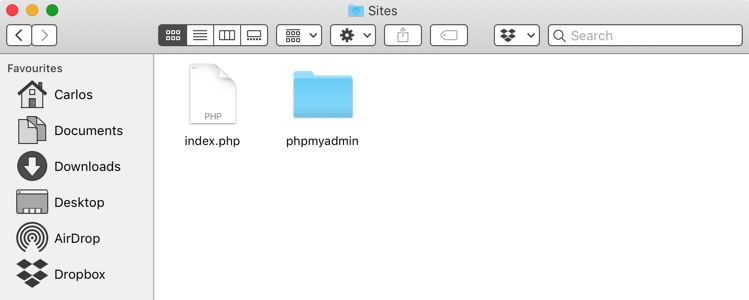
- Create a setup file Navigate browser to http://localhost/phpmyadmin/setup.
Click on “New server”. Type in the hostname, password, username of the mysql server. After applying the settings, click download. Place the downloaded file into phpmyadmin folder. NOTICE: If you are using local mysql server, input the host name as 127.0.0.1
Login to phpmyadmin
Navigate to localhost/phpmyadmin. Now you can login with the username and password.